Kikutext

classroom management Conferences email tips writing

Sunday Sit, Sip, and “Sync” ~ 4-1-2012

As many of you know,

I’m back in the classroom.

My “anchor” was thrown over the side of my little “retirement boat” when I agreed to finish the year for a very special friend who discovered that she was expecting her first baby.

Teaching the last five weeks of the school year in what was my own classroom, 

in my own school,

teaching the same curriculum,

(Well, sort of…)

seemed very doable.

Until the doctors decided that bed-rest was required for the expectant mother.

The five weeks turned into eleven, as in a full quarter, of what is the most beautiful spring I can ever remember.

The hardest part of this teaching assignment has been working without the technology that I had in place,

and the connections that I had built with parents that were used to support and enable student achievement.

Last Thursday, my dear friend was scheduled to deliver her new baby boy.

All day we checked our text messages, Facebook updates, and emails.

Finally on Friday, we received pictures and a text announcing the arrival of a beautiful red-haired 8 pounds 5 ounces baby boy. His mother had to have an emergency C-section, but good news prevailed with Lucas Kyle’s arrival and the news that everyone was healthy and happy.

It was checking my texts that made me think about a student that I had last year.

His mother would not answer phone calls from “unlisted” numbers, which is how our school number appeared to the Caller ID.

One day, Alex suggested that I “text” her.

“That is the only way my dad can get her.”

As reluctant as I was to text a parent from my personal cell, I felt it was worth it.

I can honestly say that the impact texting Alex’s mother had on his success in my classroom was amazing.

So, finally, I present this “tip” for my morning “Sunday Sit, Sip, and Sync” post.

Kikutext is one site that would be on the top of my list for implementation in my classroom.

For years I had emailed parents daily, and it was one way that enabled communication and connection that helped foster student achievement and growth.

Email, however, is no longer the only option, nor is it the best use of technology in terms of communicating.

Both Shannon and I check our email on our phones,

and a text will be answered much sooner than an email or a “call-back” from a message left on our voice-mails.

Just this Friday an important note went home from the nurse’s office,

and if I had Kikutext set up and running, I could have sent a text to parents notifying them to expect the note before their students got on the bus.

Students, in turn, would know and expect that they would be responsible for delivering the note, and expectations for student accountability would be raised and reached.

Kikutext is

  • free,
  • and easy to use.
  • It is web-based, so teachers can type and send texts from their school computers.
  • Parent contact information remains private and cannot be seen by anyone but the teacher.

The little video will explain a bit more,

and after watching it,

I encourage you to check out Kikutext and give it a try.

Have a wonderful Sunday.

I’m planning on a bike ride and a visit to my favorite garden center.

Whatever your plans are, I hope it includes unplugging and enjoying the day so you can return tomorrow fresh and motivated for your kiddos.


Little Bird Tales

classroom management writing

Sunday Sit, Sip, and “Sync” ~ 3-25-2012

Little Bird Tales” is a site that supports and encourages digital storytelling for younger children.

The only thing necessary is
an email address to create a free account,
a microphone,
and an imagination. 

Teachers can set up an account to generate a “School Code” which provides a platform to manage teachers, classrooms, and students.

Stories can be illustrated using uploaded images, but it also provides an “Art Pad” that allows younger students an easy way to create original pictures to illustrate their personal stories.

Stories can be embedded into class websites and easily shared with families. They also have the option to purchase the stories as an mp4.

This little video will provide more information,

and after viewing it,
we invite you to take a minute to visit  “Little Bird Tales”.

Other additional questions can be answered on the FAQ page.

If showers are in your forecast today,
and if you have a little one close by,
make this day a memory to record and keep after visiting

Eyes Relax

Special Needs tips writing

Sunday Sit, Sip, and “Sync” ~ 3-18-2012

Hours of staring at a computer monitor has its downfall.

“Eyes Relax” is a free download that can help solve our tendency to “hyper-focus”. It was developed by “Mech” out of Portland, Oregon as a personal utility tool. He is a software programmer and felt the need for a tool that would remind (force) him to take the breaks he knew were necessary. The comments, both on the homepage, and on his blog, will validate the usefulness of this download, as well as its security.

I have downloaded and tried other programs, and this one, by far, is the easiest and least intrusive.

Another application, in addition to the benefits to our personal health, would be its use with children. An option to generate a “Password-Protected Parent Mode” allows an adult to schedule breaks while children are using the computer. During these breaks, the computer is “locked”. This is a “time out” that is seriously necessary for the health and well-being of our children.

Take a minute, head over to http://themech.net/eyesrelax/ and schedule some breaks.

I have about 15 seconds before MY screen will go black,
and I plan on refilling my coffee cup,
and taking a break.
You deserve the same…

Instant Eyedropper

Blog Photography tips

Sunday Sit, Sip, and “Sync” ~ 3-11-2012

While formatting backgrounds and colors,
I want elements to match and compliment.

When opening up my color formatting options,
I’m directed to “More Colors…”,
and I have the option to enter the coding to get the precise color I want.

One tool I have found to be invaluable is the
Instant Eyedropper”.

A free download, this little web tool quietly hangs out on my Windows Taskbar.
When I need to know the exact color of a pixel, I  just click on the icon
and drag it to the pixel. Once I have hovered over the pixel,
I release the “eyedropper”,

and the color code is automatically copied to my clipboard.

Next, I just enter the code into my formatting options,
and I have the exact color I am looking for.

The color codes this tool supports are:

  • HTML
  • HEX
  • Delphi Hex
  • Visual Basic Hex
  • RGB
  • HSB

With this little tip, we hope your Sunday is filled with color…
the colors of spring, that is, with only nine days left until that day!

GradeCam

classroom management

Sunday Sit, Sip, and “Sync” ~ 2-19-2012

GradeCam + Your Document Camera

Sometimes you want and need a multiple-choice assessment.

Without discussing the merits of grading, or not grading student work,
most of us can agree that at some point, our students need to practice using multiple-choice assessment forms.

I can’t tell you how many times a student has come up to my desk to ask me what “All of the above” meant.

In a perfect world teachers could teach, students would learn, and it will all be done without hours of grading.

As a student, I can remember, after days of hard work, turning in a paper and enduring the long wait to receive the results.

As a teacher, I can’t deny that grading the little multiple-choice assessment was a lot easier to endure than the 5-paragraph essay.

Just sayin’…

One of the benefits of the multiple-choice is the quick feed-back.

If you have a document camera, that feed-back just got quicker.

GradeCam is a website that will provide even faster results, and is easy to use.
Although there is a package that costs, they do have a free option that includes:

  • quizzes with ten multiple-choice questions,
  • instant item analysis, and
  • class reports.

GradeCam’s “Home Page” includes a little video to help explain its merits,
but I’ve also embedded another video that will help you understand how teachers are using this program.

The plug-in is free to download, and creating an account is quick, easy, and free.

This page includes a confirmed/compatible list of cameras that work with this program.

We would love to read in the comments, how you use this program, how it works for you, and whether or not you would recommend it.

Record That

Blog tips

Sunday Sit, Sip, and “Sync” ~ 2-12-2012

Do you need a quick, short mp3 recording?

Easy.

Plug in the microphone.

www.recordmp3.org

Click “RECORD”.

Click “STOP”.

Preview with a click of the “Play” button.

“Save Recording”.

Watch it “upload”,
and when it has finished processing and uploading, you can browse and “Save As” to a destination on your computer.

Another option is a link to your own “player”.

http://www.recordmp3.org/iqUk.mp3

Wall Art

Photography tips

Sunday Sit, Sip, and “Sync” ~ 2-5-2012

Can I just say?

Bulletin Boards.

Yup.

I LOVED bulletin boards when I first began my career as a teacher.
Those were the days before ISATs, curriculum committees and objectives, district assessments…

I’ll stop there.

They were always “home-made” and often included the help of my students.

We planned them, we made them together, and they always reinforced what my students were learning.

Later, my teaching partner and I made bulletin boards that “worked together” to double the message we wished to deliver.

When we moved into our new school,
the bulletin boards were replaced with walls covered in fabric,
and the possibilities were endless.

Some teachers chose to COVER the walls with posters, banners, pictures, maps, graphs, diagrams, and whatever they felt was needed to reinforce their lessons.

Others preferred the “minimalist approach”.

This site might offer a compromise.
A huge poster could make a HUGE impact,
without hundreds of staples and thumbtacks to remove.

www.blockposters.com

Find a high-quality image, resize it to no more than 1 megabyte, and upload it.

Just follow their step-by-step instructions, and blockposters.com will generate a PDF document containing the pages of your poster. Each page has marks to match up with the other pages, and you will find it easy to piece together.

This might be just what you need to add a little “pizazz” to your classroom as you wait for spring…


It’s a Widget

tips Wolfram Alpha

 Sunday Sit, Sip, and “Sync” ~ 1-29-2012

One of our favorite resources across any curriculum at any level is

Wolfram|Alpha.

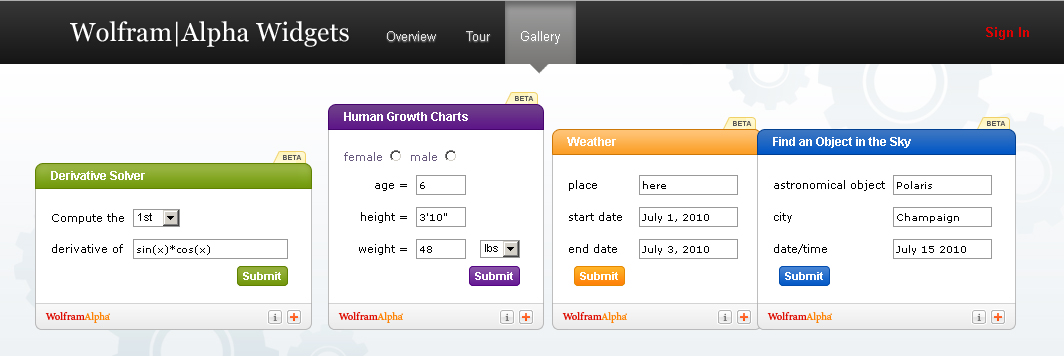
Within the Wolfram|Alpha site, you will find a Widget Gallery that includes 29 categories.

What is a widget?

According to Wolfram|Alpha’s “Definition Widget”,
it is “…a device or control that is very useful for a particular job.”

A “widget” is described in the introduction to their tour as “A free, personalized mini-app that leverages the depth and breadth of the Wolfram|Alpha computational knowledge engine.”

To learn more about Wolfram|Alpha’s Widgets,
we invite you to take “The Tour”.

And if you’re feeling very confident and are up to the challenge,
you might want to try your hand at creating your own custom-made widget that works just for your unit of study or curriculum.

I did…


It’s No Picnic…

Photography tips

Sunday Sit, Sip, and “Sync” ~ 1-22-2012

My Sunday Morning Tip took a 180˚ when I opened up my email this morning.

One of my favorite “fun” online photo editing sites will soon be gone.

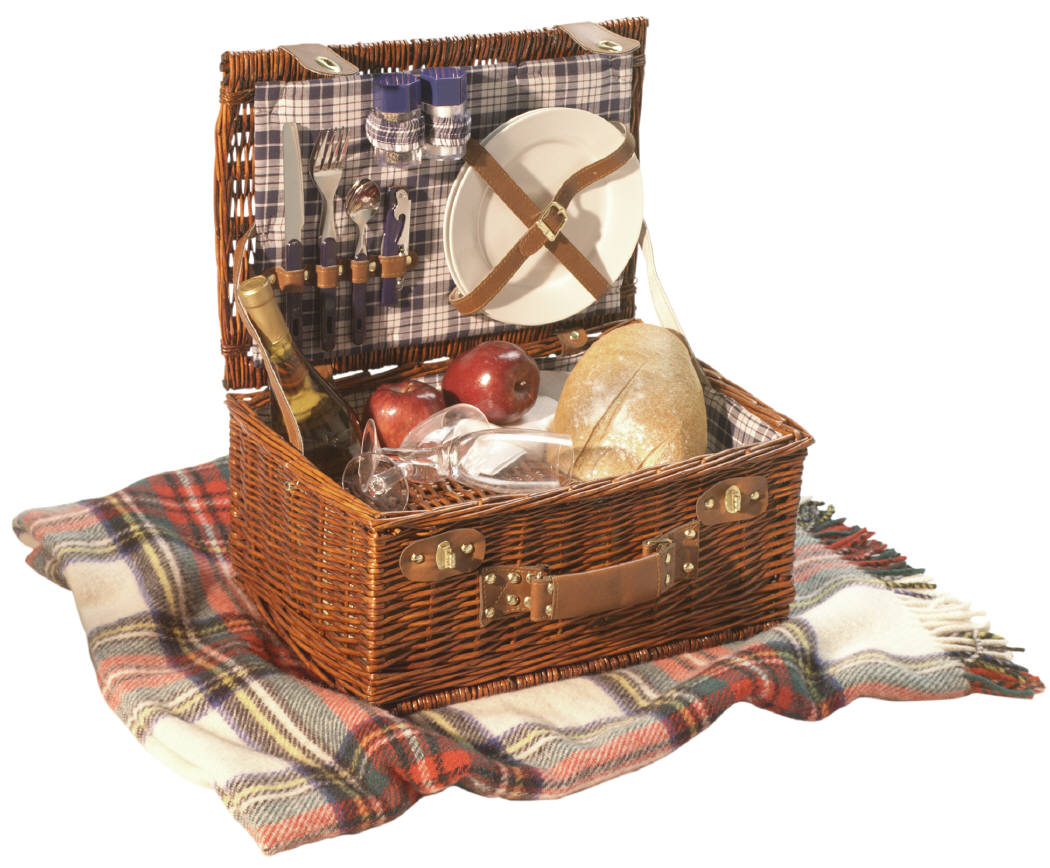
Picnik.com is the only website I love to watch as it loads.
While the gears turn and synch together,
I look forward to the random messages that create imaginary images that are both powerful and pleasant.

“Fluffing clouds…”
“Blooming blossoms…”

“Picking blackberries…”
“Stealing Picnik basket…”
“Planting trees…”
“Floating kites…”
“Cueing bird songs…”
“Applying sunscreen…”
“Buttering sandwiches…”
“Growing grass…”
“Painting sky…”
“Chasing butterflies…”
“Spreading blanket…”
“Picking flowers…”

Once loaded, Picnik offers a wide menu of options, even without a paid subscription.

The sad news is that on April 19th, 2012, Picnik will be closing.

And that is, indeed, sad.

The good news is, that until that date, ALL of the “Paid Premium” effects and features are available FREE to ALL visitors.

(You know how we love “free”.)

If you have a paid subscription, they will refund this past year’s payment,
“even if you are on your very last day of an annual membership”.

Picnik has added a feature, Picnik Takeout, which “allows you to download your photos to your desktop in convenient zip files”.

There is no limit to how many times you use this feature until closing day.

If you post your pictures on Flickr,
and use Picnik to edit them,
that service will no longer be an option when Picnik closes,
but…

Flickr has announced an upcoming set of editing tools within their site,
and in their words:

“…we are working on making the editing experience even better on the site.
We know you care about speed, simplicity, and quality
and this is exactly what we are working to provide you with.
More on this soon, but we can’t wait to show you what we have in store.”

Questions?
Visit Picnik’s FAQ Page here.

Ready to take advantage of this 3-month service?
Visit Picnik

and watch the clouds fluff and the grass grow for an early, much needed spring…