Instant Eyedropper

Blog Photography tips

Sunday Sit, Sip, and “Sync” ~ 3-11-2012

While formatting backgrounds and colors,
I want elements to match and compliment.

When opening up my color formatting options,
I’m directed to “More Colors…”,
and I have the option to enter the coding to get the precise color I want.

One tool I have found to be invaluable is the
Instant Eyedropper”.

A free download, this little web tool quietly hangs out on my Windows Taskbar.
When I need to know the exact color of a pixel, I  just click on the icon
and drag it to the pixel. Once I have hovered over the pixel,
I release the “eyedropper”,

and the color code is automatically copied to my clipboard.

Next, I just enter the code into my formatting options,
and I have the exact color I am looking for.

The color codes this tool supports are:

  • HTML
  • HEX
  • Delphi Hex
  • Visual Basic Hex
  • RGB
  • HSB

With this little tip, we hope your Sunday is filled with color…
the colors of spring, that is, with only nine days left until that day!

Record That

Blog tips

Sunday Sit, Sip, and “Sync” ~ 2-12-2012

Do you need a quick, short mp3 recording?

Easy.

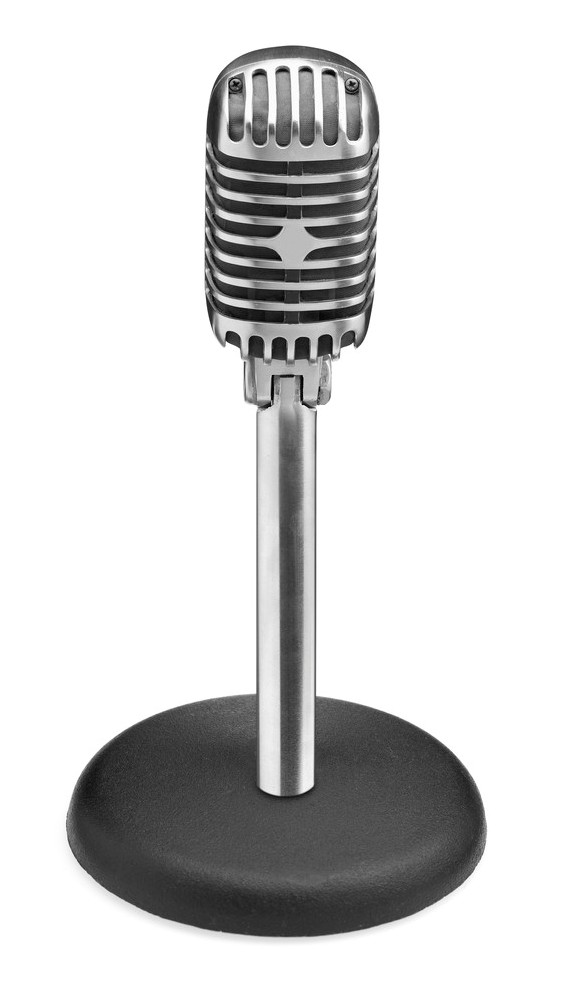
Plug in the microphone.

www.recordmp3.org

Click “RECORD”.

Click “STOP”.

Preview with a click of the “Play” button.

“Save Recording”.

Watch it “upload”,
and when it has finished processing and uploading, you can browse and “Save As” to a destination on your computer.

Another option is a link to your own “player”.

http://www.recordmp3.org/iqUk.mp3

Wall Art

Photography tips

Sunday Sit, Sip, and “Sync” ~ 2-5-2012

Can I just say?

Bulletin Boards.

Yup.

I LOVED bulletin boards when I first began my career as a teacher.
Those were the days before ISATs, curriculum committees and objectives, district assessments…

I’ll stop there.

They were always “home-made” and often included the help of my students.

We planned them, we made them together, and they always reinforced what my students were learning.

Later, my teaching partner and I made bulletin boards that “worked together” to double the message we wished to deliver.

When we moved into our new school,
the bulletin boards were replaced with walls covered in fabric,
and the possibilities were endless.

Some teachers chose to COVER the walls with posters, banners, pictures, maps, graphs, diagrams, and whatever they felt was needed to reinforce their lessons.

Others preferred the “minimalist approach”.

This site might offer a compromise.
A huge poster could make a HUGE impact,
without hundreds of staples and thumbtacks to remove.

www.blockposters.com

Find a high-quality image, resize it to no more than 1 megabyte, and upload it.

Just follow their step-by-step instructions, and blockposters.com will generate a PDF document containing the pages of your poster. Each page has marks to match up with the other pages, and you will find it easy to piece together.

This might be just what you need to add a little “pizazz” to your classroom as you wait for spring…


It’s a Widget

tips Wolfram Alpha

 Sunday Sit, Sip, and “Sync” ~ 1-29-2012

One of our favorite resources across any curriculum at any level is

Wolfram|Alpha.

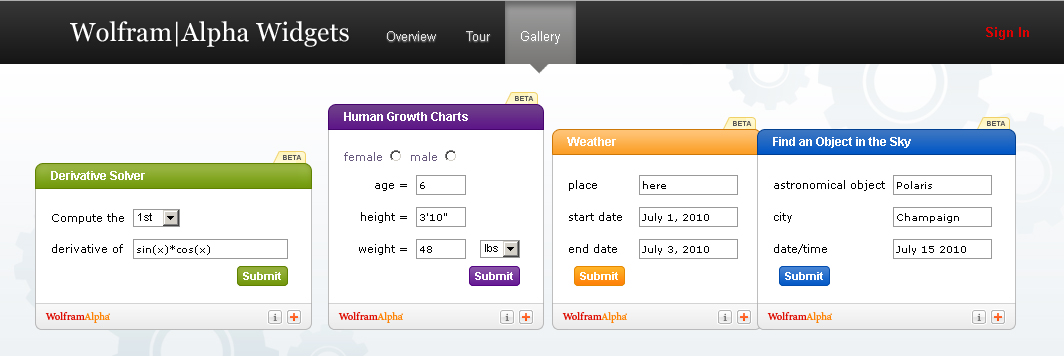
Within the Wolfram|Alpha site, you will find a Widget Gallery that includes 29 categories.

What is a widget?

According to Wolfram|Alpha’s “Definition Widget”,
it is “…a device or control that is very useful for a particular job.”

A “widget” is described in the introduction to their tour as “A free, personalized mini-app that leverages the depth and breadth of the Wolfram|Alpha computational knowledge engine.”

To learn more about Wolfram|Alpha’s Widgets,
we invite you to take “The Tour”.

And if you’re feeling very confident and are up to the challenge,
you might want to try your hand at creating your own custom-made widget that works just for your unit of study or curriculum.

I did…


It’s No Picnic…

Photography tips

Sunday Sit, Sip, and “Sync” ~ 1-22-2012

My Sunday Morning Tip took a 180˚ when I opened up my email this morning.

One of my favorite “fun” online photo editing sites will soon be gone.

Picnik.com is the only website I love to watch as it loads.
While the gears turn and synch together,
I look forward to the random messages that create imaginary images that are both powerful and pleasant.

“Fluffing clouds…”
“Blooming blossoms…”

“Picking blackberries…”
“Stealing Picnik basket…”
“Planting trees…”
“Floating kites…”
“Cueing bird songs…”
“Applying sunscreen…”
“Buttering sandwiches…”
“Growing grass…”
“Painting sky…”
“Chasing butterflies…”
“Spreading blanket…”
“Picking flowers…”

Once loaded, Picnik offers a wide menu of options, even without a paid subscription.

The sad news is that on April 19th, 2012, Picnik will be closing.

And that is, indeed, sad.

The good news is, that until that date, ALL of the “Paid Premium” effects and features are available FREE to ALL visitors.

(You know how we love “free”.)

If you have a paid subscription, they will refund this past year’s payment,
“even if you are on your very last day of an annual membership”.

Picnik has added a feature, Picnik Takeout, which “allows you to download your photos to your desktop in convenient zip files”.

There is no limit to how many times you use this feature until closing day.

If you post your pictures on Flickr,
and use Picnik to edit them,
that service will no longer be an option when Picnik closes,
but…

Flickr has announced an upcoming set of editing tools within their site,
and in their words:

“…we are working on making the editing experience even better on the site.
We know you care about speed, simplicity, and quality
and this is exactly what we are working to provide you with.
More on this soon, but we can’t wait to show you what we have in store.”

Questions?
Visit Picnik’s FAQ Page here.

Ready to take advantage of this 3-month service?
Visit Picnik

and watch the clouds fluff and the grass grow for an early, much needed spring…

Grade Essays Faster?!

classroom management tips writing

Sunday Sit, Sip, and “Sync” ~ 1-15-2012

There it was.
In BIG, BOLD font.

“Grade Essays Faster”.

“Look, we can’t grade the essays for you, but we can reduce the repetitive, inefficient manual labor involved — and in doing so we open up a new world of invaluable student data.

Welcome to the future.”

Really?

I have friends who are English teachers.
I know how much time they spend grading papers.

Rough drafts.
Revised copies.
Final copies.

I don’t claim to know much more beyond fifth grade essays,
and what I had to write as a student, myself.

(Please don’t judge them. They tried.)

I do know that my teachers,
those who guided me, taught me, and encouraged me,
had to have put in countless hours reading and suggesting and correcting what I had written.

When I discovered this website, I thought it surely would be a tool that, as an English teacher, could be as valuable and indispensable as a calculator must be for a Math teacher.

Essaytagger.com is free during their “Beta Period”,
and that ends on February 1st.

Essaytagger.com is developed by Keith Mukai, M.Ed., a high school English teacher who is now the founder and CEO of EssayTagger.com.

Once the “Beta Period” ends, there will be a cost that is described here, in the FAQ Section.
Early adopters during this period will be “rewarded”.

Here are some quick links to videos that describe the program in more detail.

So, those of you who teach English,
or those of you who know English teachers,
I encourage you to check out this site and “share the love”.

Wouldn’t it be nice if more of us could “have a life”?

Now You See It…

Special Needs tips

Sunday Sit, Sip, and “Sync” ~ 1-8-2012

Lately I’ve been reading some updates on Twitter and Facebook describing the need for reading glasses.

Usually these updates generate comments from “friends” who are feeling their pain.

The consensus is that basically, this whole “aging-process” stinks.

Now, I am older than most of our followers, friends, clients, and peers.

Quite frankly, I am very happy to be getting older.

Sure beats the alternative.

Reading glasses are part of my wardrobe, and can be found on my nose or on top of my head.

(Sans the pearl neck-chain.)

And in my classroom, there were several pairs found in many convenient spots.

However, if you find yourself at your computer without those stinkin’ things,
here is a quick, free solution.

Download a virtual screen magnifier from our friends at Source Forge.
You will have the option of placing a shortcut on your desktop, and I have placed one on my taskbar.

Click on the icon, it appears, move your mouse to view, and click to remove it.

Simple. And we like simple.

This tool can also help your students with special needs while viewing web pages with small font. There is no longer a need to reset your screen resolution to meet their accommodations.

With this post, we start the new year.
We hope all of our friends had a wonderful holiday,
and are back “at it” with a refreshed sense of spirit and commitment.
We look forward to seeing many of you again, as our schedule begins forming for the coming months, and most of all, we look forward to teaching and learning as we prepare for our sessions.

Have a great week!

Reinvention vs. Resolutions

reflections tips

Sunday Sit, Sip, and “Sync” ~ 12-18-2011

Only one more week.

A short week.

You can do it.

I took two subbing jobs last week, and I felt your pain.
Indoor recesses + Christmas programs + Christmas Season + a “Sub” = Ugghh!

So, let’s move on and look ahead.

I’m going to share two sites that might give you something to think about and possibly motivate you to get through the next couple of weeks.

One of them has become my “friend”, but the “Day Zero Guys” have added a “new twist”.

Day Zero was a site I shared with you back on October 3rd. I created my “Bucket List” and have been slowly adding to it, checking things off of it, and it has kept me focused on so many goals. Some, I admit, are frivolous, but some are very, very important. I have kept my “List” open to share with others, and that has helped me stay accountable.

Now Day Zero has added “7 Things X 2012”.
Rather than the standard resolutions,
Day Zero suggests seven goals for the new year and a platform to share those goals with others.

The seven areas that they suggest are:

  • learning something new,
  • developing a new habit,
  • breaking an old habit,
  • taking a vacation (maybe someplace different?),
  • searching for something (possibly something new in your life?),
  • trying something new, and
  • improving a personal characteristic.

I am very task/goal-orientated, and this is something I would definitely share with my students. It seems that by the time we return from our holiday break, the New Year has begun and it feels too late to begin personal goals. This site might give students something to think about over their break, and a way to share the personal goals they have set for themselves.

The lessons we teach in our classrooms aren’t always about academics.

The second site is “The Daily Nudge”.
This is a free site without advertisements that promises to help you make changes by emailing you daily reminders to stay the course.

“Change takes time and repetition, like drops of water changing stone.”

Hopefully, these ideas will give you a fresh way to view the New Year as you close your classroom doors this week to join your families in celebrating the holiday season.

I’m going to do the same as I “unplug” and focus on Christmas and family.
With that, Shannon and I want to wish all of you the very best Holiday Season filled with priceless memories and for those traveling, a safe journey.

Deck the Halls with Fonts Galore

Holiday tips writing

Sunday Sit, Sip, and “Sync” ~ 12-11-2011

Santa LOVES the "Holiday Fonts"!

Let the “downloading” begin…

This week we’ve included some Holiday fonts to download to use for bulletin boards, banners, newsletters, Christmas cards, SMARTBoard lessons, and (gasp) worksheets.

(Sometimes a kid just wants a pencil, and that’s okay, too.)

The first site contains 24 different holiday fonts and symbols, many appropriate just for winter.

Holiday fonts from a “How to Geek” Girl.

She also has a link to show you, with screen captured images, how to install, manage, and delete fonts on your PC.

Usually we take care of these details, but at this time of year, I’m all about the management of time.

The “How to Geek” Girl explains the “whole font thing”.

Once you have installed your font, you can type the font label into your toolbar font pull-down menu to find it.

One of the easiest ways I have found to install a font is to simply drag or copy the .tff file right into the font folder.

If 24 different fonts are just not enough for you, you might want to try these:

Here are 79 more options. These fonts are filtered by “popularity”:

After clicking on the link below, you can continue to the second page from the bottom link.

dafont.com

The second site lists “222” different fonts and the tags used to filter those fonts are on the side:

fontspace.com

Next are 39 fonts on two pages:

acidfonts.com (Really?)

Sometimes you will find the same font submitted by the same developer across several of these sites, but if you like a lot from which to choose, this is a good start.

Finally, I am including a link to a Microsoft Template that can be used with Avery Label products to print your own gift tags. We always rely on Microsoft as a free, safe, and copyright-free resource.

Have a wonderful Sunday,

and now I am off to buy Christmas tree lights and choose the “perfect tree” to complete a few more things on my “Holiday To-Do List”.

Once you have installed your font, you can type the font label into your toolbar font pull-down menu to find it.


One of the easiest ways I have found to install a font, is to simply drag or copy the .tff file right into the font folder.


If 24 different fonts are just not enough for you, you might want to try these:


Here are 79 more options. These fonts are filtered by “popularity”:


After clicking on the link below, you can continue to the second page from the bottom link.

dafont.com


The second site lists “222” different fonts and the tags used to filter those fonts are on the side:

fontspace.com


Next are 39 fonts on two pages:

acidfonts.com (Really?)


Sometimes you will find the same font submitted by the same developer across several of these sites, but if you like a lot from which to choose, this is a good start.


Finally, I am including a link to a Microsoft Template that can be used with Avery Label products to print your own gift tags. We always rely on Microsoft as a free, safe, and copyright-free resource.


Have a wonderful Sunday,

and now I am off to buy Christmas tree lights and choose the “perfect tree” to complete check off a few more things off my “Holiday To-Do List”.