Alphabet Soup

tips

Monday Morning Message ~ 5-2-2011

I had a chance to attend the Discovery Educator Network Spring Virtual Conference 2011 sponsored by the Missouri Discovery Educator Network at the Cooperative School Districts Virtual Learning Center.

One of the sessions was entitled “Alphabet Soup”.
The session was excellent and dealt with all the Web 2.0 tools and the unlimited ways we can use them to teach our students new things.
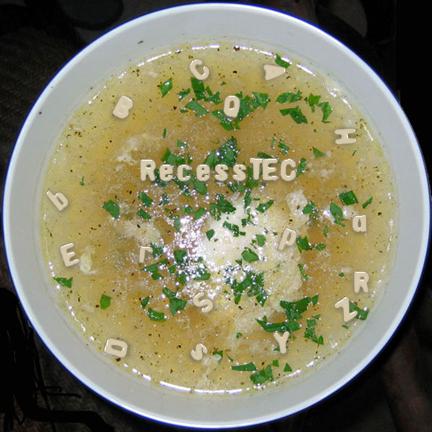
The presenter mentioned that the image on his title slide took him two and a half hours of preparation, plus several cans of soup.

We thought you would enjoy creating your own image of alphabet soup minus the hours of labor and soup cans.

As teachers, we can think of endless ways to use something like this,
but why not give your kids a chance to have some fun with it, too.

The idea of “Alphabet Soup” can be a spinoff for so much imagination.
I could not begin to list the ways a bowl of alphabet soup could be used as a story starter, but I know ten minutes of brainstorming with my students could generate a list with enough ideas that they will want to run, not walk, to the computer lab.

Provide the link for them,
watch the different bowls that are generated,
and teach them to save their images to be used in their personal projects.

Finally, find a way to share their stories or projects.
What a quick way to fill that last bulletin board of the year!

Most of all, make it fun for you and your students!

(Just click on our little picture of our “alphabet soup bowl”
to take you to the generator!)

Revisiting the “Little Book”…

reflections tips writing

Monday Morning Message ~ 4-25-2011

These next few weeks will find our students busy with year-end activities and field trips.

With that, I have been thinking about the “Little Book” that was featured in our March 28th Tip.

I am planning to use this “Little Book”, but my students love lines on which to write,
and they often love to include their own drawings.

So on a quiet Sunday afternoon, I designed two templates to give them a choice.
One I will use for a book on Geometric Shapes with definitions, and they can use the blank pages to construct their shapes using the templates that are provided with our Math series.

In our school arboretum, each of my students is assigned two trees for which they are responsible. They can make a book for each tree, and use the pages to draw the tree and leaf shapes, or to use for a rubbing of the new leaves as they emerge.
(As we wait for the rain to stop…)

If you need to refresh your memory as to how to make the “Little Book”, please visit the link above to watch the video.

I have uploaded a pdf copy of each of the templates.

You’ll find the links below.
Please feel free to use them and share them.
We would love to hear how you have used them in your classroom.

If you are returning to school after Spring Break,
we hope this next week finds you rested and motivated to make these last few weeks the very best.

Make sure you take time to have fun with your students.

Little Book With Pictures

Little Book With Only Lines

Seeing Double…

tips writing

Monday Morning Message ~ 4-18-2011

My fifth grade students come to me with little/no keyboarding skills.
Their paragraphs are indented with anywhere from one to twelve spaces.

And the fonts and colors… Yikes!

I give them a choice of three fonts and three colors.

Fonts from which they may choose are Arial, Calibri, or Century Gothic.

The colors they may choose are black, black, or black.

Once we have learned to use the “Tab” key to indent,
I teach them about the space between the period at the end of the sentence
and the capital letter at the beginning of the next sentence.

The stress here is:
ending punctuation and
capitalizing the first word of a new sentence!

In typing class, we were taught to type two spaces between the period and the next letter. Lately, I have been hearing otherwise and thought, before I “misteach” my students, I should do some research.

Everything I read said, “Yes…” to dropping the double-space and moving to single.

I was a reluctant reader, though, and wanted some rationale.
I felt like I was “selling out” just because someone decided it was the thing to do.

Then I stumbled upon a post on “Good Design” by Alissa Walker.

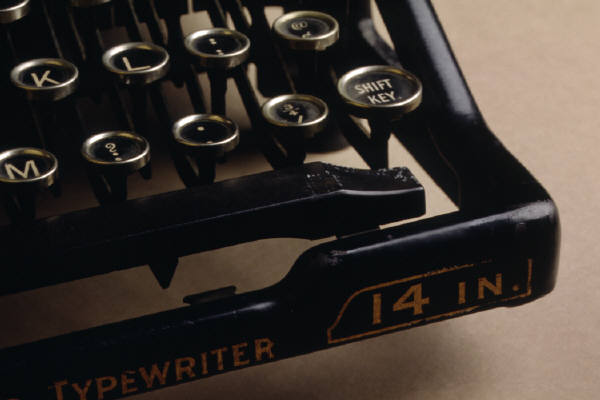
In her post, Alissa explains that today’s text editing programs take into account the width of each letter, and adjust the spaces accordingly. When we were typing with typewriters.. (and that IS my history…) the keys were each the same width, and there would be more space on each side of an “l” than an “m”. Thus, a double-space between sentences made the separation more clear.

Now it made sense to me. A logical reason is something I can accept.

So now I can teach my students, and explain why.

And it only took me a few years weeks to reteach myself to single-space.
The “carrot” was the extra time I would have to do something fun!

If you are on “Spring Break”, even if it is for just a few days, make sure you take time to have fun, too…

We’re Talking “Apps”!

iPad2 Photography SMARTBoard tips workshops

Monday Morning Message ~ 4-11-2011

We have finalized our Sixth Annual Summer Workshop Series which will once again be held at the EIASE headquarters in between Mattoon and Charleston.
This summer our theme is “Boot Camp”.
No, we’re not talking about crawling on our tummies with an M16 or digging foxholes.
We’re talking about “DIGITAL Boot Camp”!
Arm yourself with excitement about the future, a positive attitude, and a willingness to try some new things. 

Not only do we have our beginner-advanced SMARTBoard training, but we have also added a “10 Ways to Get SMARTer” session for folks who would like some new integration ideas or a refresher course. 

In addition to our SMARTBoard sessions, we are offering a variety of sessions for general technology integration, including one that focuses on iPad apps for classroom use.
You heard it! We’re talking “APPS”! 

Make this the summer you “get in digital shape” to fight the battle against student apathy.

Because when you get excited, your kids can’t help but be excited, too!

We hope to see you there! 

Shannon and Nancy

Note*
Oh yes! Our”Monday Morning Tip”…
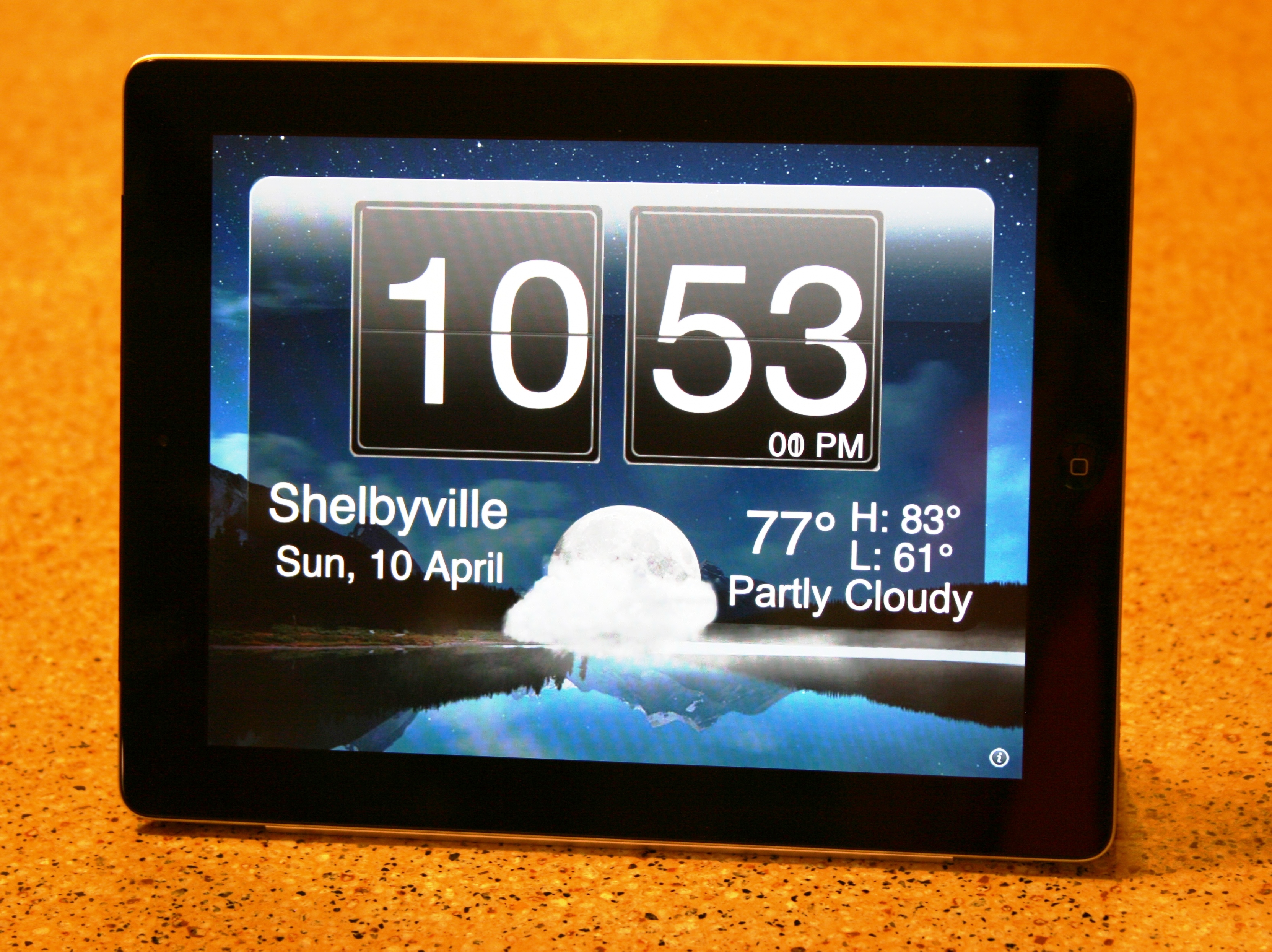
This is a picture of my brand new iPad2.
The “app” you see here is “Nightstand”.
It was taken last night and it’s going to make sure I get up in the morning on time!

Random Word Generator

classroom management SMARTBoard tips

Monday Morning Message ~ 4-4-2011

And it’s free… 

This is a quick way to randomly choose students.

If you have a SMARTBoard, we suggest you use the “Random Word Generator”.
Add your students’ names, and save it in your “My Content” folder within a sub-folder labeled “Management”.

If you don’t have a SMARTBoard, we suggest a website called classtools.net.
This is a free resource, and you have a choice of two “generators”.

With the “Fruit Picker”, a name is chosen and you have the option of removing it, after it is chosen.

With the “Typewriter” generator, you do not have that option, but it also eliminates the “Casino” theme.
Once your names are typed in, you can save it to your desktop as a shortcut.

To watch a quick video for each of these…

Add some fun to your week!

How to Make a Little Book

tips writing

Monday Morning Message ~ 3-28-2011

This is not necessarily a “technology tip”, but we thought using a piece of technology can give you several ideas for your week.

We LOVE this “Little Book”, and we can think of countless ways to use it in our curriculum.

What better way to “show you how” than with a video?

(Consider that our piece of “technology”.)

There are several tips here, in addition to the “Little Book”.

  1. YouTube is more than funny videos that are posted on Facebook and sent in emails. It is a very valuable resource for us as teachers, and in our personal lives.
  2. Consider using videos for your students’ “How To” projects. It is a great way to motivate students to write “Steps in a Process” papers.
  3. If you don’t have access to a video camera, consider using digital photos and creating a “stop-motion” video using Windows MovieMaker or Photo Story 3.

As we “spring ahead” into the final days of our school year, continue to push your students to learn and grow to be ready for next year, but don’t forget to make it fun!

*Note: We would LOVE to hear from you in the comment section how you might use this “Little Book” in your curriculum.

Once Upon A Time…

tips writing

Monday Morning Message ~ 3-21-2011

Here is a quick way to motivate your students to write fairy tales.

Using the “Insert Drop Cap” option in Microsoft Word, students can easily add a special look to their stories.

In simple steps, students need to:

1. Type their story using Microsoft Word.

2. Once the story is typed, highlight the first letter and choose
a. “Insert”
b. “Drop Cap”  choosing “Dropped”.

3. Highlight the dropped cap letter and change the size, the font, and the color as best suits the student and the story.

The video below should help answer any questions, and is best viewed in full screen.

Have a great week!
Spring has finally arrived, so here’s hoping recess is outside for you and your students!

Japan: A Teachable Moment

reflections tips

Monday Morning Message ~ 3-14-2011

For as long as I can remember, I have subscribed to the United States Geological Survey to receive reports each time a significant earthquake occurs anywhere on our globe.

Early Friday morning, as I checked my school email account, the notices rolled in, and currently I have over 100 reports sent even up until today for the aftershocks. Each of those tremors have been significant enough to generate a notification.

Why would you subscribe?

As a fifth grade teacher I have used the reports for geography to teach, among other things, latitude and longitude. Each time I receive a report, a student has been responsible for plotting the points and marking the earthquake on a world map.

This leads into math and the use of coordinates, and distance in miles and kilometers.

In science we learn about earthquakes in our physical science units, their impact on our continents, and the different types of earthquakes. We learn about the history of major earthquakes and that even in Illinois, the New Madrid Fault is a sleeping threat.

Literature in our reading program contains a story about earthquakes. I supplement this with nonfiction books about such things as the 1906 San Francisco earthquake.

Finally, these emails reinforce what is currently happening around the world, and teaches us that we are a family of international citizens. It helps students think beyond the borders of our continental United States.

To sign up to receive earthquake notifications, visit the USGS website:

https://sslearthquake.usgs.gov/ens/register

Click below to view a copy of the revised notification for the first quake.

PRELIMINARY EARTHQUAKE REPORT

Taking the Shortcuts

tips writing

Monday Morning Message ~ 3-7-2011

It doesn’t take long to learn some valuable “shortcuts” that will save you and your students time in the lab.

Basic to student instruction and use are the usual shortcuts keystrokes for:

Copy (Ctrl+C)
Paste (Ctrl +V)
Cut (Ctrl +X).

We teach these to our students in the first week, and find they catch on quickly and grow to use these instead of the “Pull-down Menus”.

One more you can add to their/your repertoire is:

   Tab (Ctrl+T)

This allows the students to quickly open up another tab and to work side-by-side when researching and collaborating. By allowing them to use additional tabs open while on the internet, they can save the tabs on the bottom for files/folders they need to access on their computer.

With 30+ computers to shut down every evening, our students use another quick shortcut that gets the job done quickly.

Shortcut to shutting down computers:

  1. To close all windows, press (Alt+Space Bar)
  2. Together (Ctrl+Windows Key) with left hand and (Up Arrow) with right hand.
  3. Hit “Enter”, “Enter”.

Your lab has been shut down, and you can rest knowing your job is finished for the day.

If you are living in the State of Illinois, enjoy your Pulaski Day off, if your district observes it.

Shannon has to work today, but I am lucky enough to have the day off before I return to our first day of ISATs. If you were able to finish yours last week, enjoy your return to normal. We will start in with “Day 1” on Tuesday.

Regardless, have a great week!

Is Anyone Listening? (Part 4 of 4)

classroom management email tips writing

Monday Morning Message ~ 2-28-2011

Your Distribution List is made, and you are ready to send out your first note.

Remember, you promised your parents that you would keep their email addresses confidential!

It’s easy and the secret is…

Bcc (or “Blind Carbon Copy”).

The benefits of sending emails to recipients using the Bcc Option is that it

   1. keeps addresses confidential;

   2. protects recipients from receiving spam; and

   3. protects recipients from receiving a reply when
someone accidentally selects “Reply All”.

When writing your note, address it to yourself using your school address.
Next, choose the Bcc Option, and use the Distribution List contact name as the recipient.

Another benefit of using this option is that you will also receive a copy of your note, in addition to the one that is in your “Sent Folder”.

One more reminder:

You might want to use the day/date as your Subject.
This also helps parents keep track of notes/reminders.
If your note contains important information or deadline reminders, you might want to use that as your subject to get their attention.

You are now on the road to being heard, and more important, they are listening!

Have a great week!