The 12 Days of Christmas…

SMARTBoard tips

Sunday Sit, Sip, and “Sync” ~ 12-9-2012

…or should I say the “12 Days Games of Christmas”?

The Timed Educational Supplement (TES) is a weekly publication that began in 1910. It served as a resource primarily for school teachers in the United Kingdom. Its support site is www.tes.co.uk and it has been a huge resource for educators worldwide.

It is interesting to peek around the website, forums, and to search through the job vacancies that are world-wide.

Technology has been a huge component as educators all through the UK are encouraged to include its use and adoption within their curriculum. You will find this site has a lot to offer in that department, as well.

So today, I invite you to take a look.

You might want to start with this page of Christmas games that is offered as a free resource of 12 seasonal games that can be played both on the computer and on an IWB*.

So even with the rain, today might be the day you can stop and spend some time on your front porch, which is where I plan to be decorating, or if you really have it together, curl up with a cup of tea, coffee, or beverage of your choice, and enjoy the lights of your tree and the spirit of the season…

Have a great week!

*Interactive Whiteboard

 

QWERTY… Or Not

tips

Sunday Sit, Sip, and “Sync” ~ 11-25-2012

My typing teacher would stand in front of the classroom and call out the letters as we clicked away on our manual typewriters.

In unison we would “punch” the keys while making eye contact with him at all times.

Absolutely NO peeking.

So, when one of my students would stand next to me and ask me a question while I was typing, I would turn, listen, answer, and continue typing.

The usual response was,
“Wow! How do you do that?! That freaks me out!”

During the last few minutes of class, as we waited for the bell to ring, one of the favorite things they enjoyed doing was to see if I could “win the race”. A website use to exist where you could race against other random participants to type a famous quote. Your little car would move along with your WPM speed, and the pressure mounted as other contestants fought a hard battle to stay with you. Sometimes another contender (with a name you couldn’t pronounce) would win, but it was always fun when you finished in first place.

This also worked as a motivator for students to work hard in keyboarding, as in “Take It Seriously”.

Sit up straight.
Don’t look at your keyboard.
Put on your headphones to eliminate distractions,
and work to beat your best WPM time.

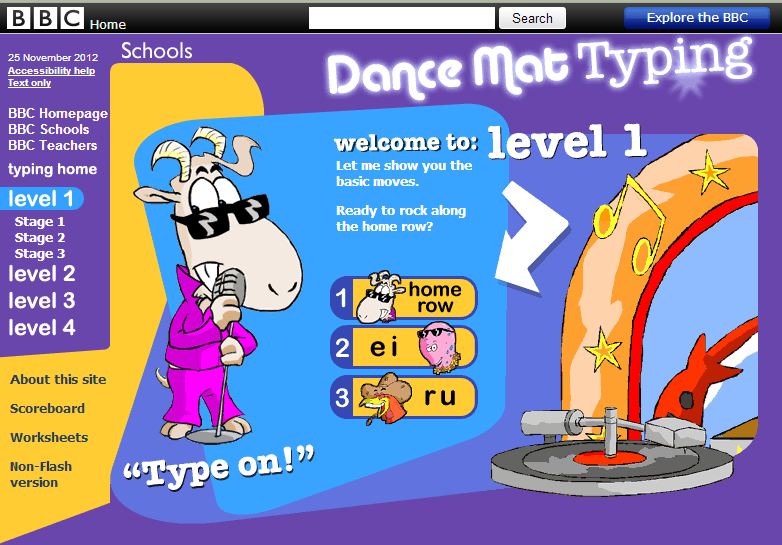
Dance Mat Typing is the program we used at school.
It is found on the BBC website and part of the BBC Schools Collection.

FREE!

And the kids love it.
(You can hear them giggle as they work.)

Another program that is very simple and easy to use is TypeFu.

And FREE.

While not as entertaining, it speeds up the process and puts you into “training mode” right now. Charts and diagrams track your progress with WPM, accuracy, letters most often typed and most often mistyped.

It’s your choice of what you will type:
  letters,
  words,
  proverbs,
  quotations, etc.

You can repeat lessons, and move ahead as you wish.

You can focus on the “home row”, or even numbers.

(Numbers on a number pad: I am a rock star.
Not so much on the QWERTY keyboard.)

And remember…
One space between sentences!
Go HERE if you want to learn why.

After you have bumped up your WPM speed,
we recommend some “outside time” while the weekend is still here.
I know I am headed for the woods for a walk and some fresh air.
(Let’s not talk about the “Pumpkin Pie” that was added to my rumpus over the weekend.)

NASA Notifications

tips

Sunday Sit, Sip, and “Sync” ~ 11-11-2012

I remember “Sputnik”.

The lives of many in my generation were changed with its launch.

Draft deferments were issued if your college major was in the areas of engineering, math, or science.

It added a new dimension to the “Cold War” and kicked the “Space Race” into high gear.

Although Sputnik’s orbit lasted only 3 short months, its legacy resulted in the technology push that serves today’s world.

During those months Sputnik orbited Earth, people stood outside searching the sky for glimpses of it. Today we have the International Space Station that orbits above us, and once again, it can be seen from the backyards and country roads of our lives.

This November, NASA released a new service that allows us to be notified when the Space Station will be overhead. You can sign up to receive an email providing the time and location for viewing as it orbits above your location.

Now you can share this experience with your students to add a ‘real” dimension to your science and history lessons.

After you read about their new service and sign up for the notifications here,
you might as well stay awhile and check out what NASA.gov has to offer in terms of videos, lessons plans, and resources for teachers and students.

Finally, we invite you to move outside this Sunday to enjoy the sun on this fall day, and make it a good one.

Have a great week!

Collaborating with Stixy

classroom management tips writing

Sunday Sit, Sip, and “Sync” ~ 10-21-2012

We’ve talked about “Wall Wisher” and “Linoit”,

and now we’re here to present yet another “wall” that is very useful for collaborating and sharing.

Stixy.com has even more options than what we’ve described in the other “walls”,

and we love the ease that it allows in sharing.

To quickly sum up your “Stixy Experience”,
I’ll just quote from the “Welcome Email” I received after making a free account.


From Stixy:

“Here are a few examples on how you may choose to use Stixy.


  • Keep track of your family’s schedule.
  • Collaborate and share in projects at work.
  • Gather online research; images, links, screenshots etc.
  • Organize an upcoming holiday with your friends.
  • Share photos from your last bike trip.

But it is really up to you as to how you want to use Stixy.”

Only you, your needs and imagination, set the limits.”

Once again, “FREE”.
Yup.
We love “free”.

Visit our "wall" and let us know what you think!

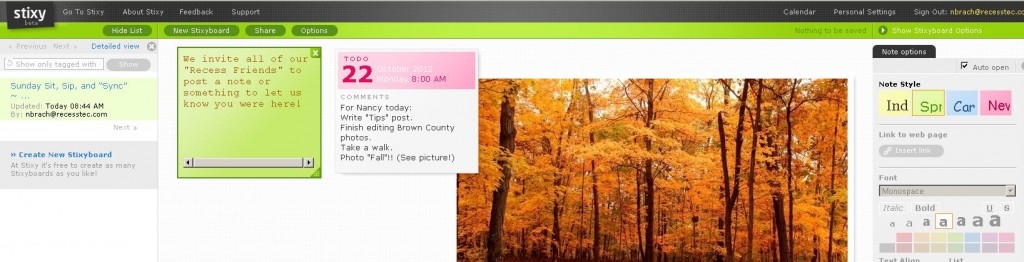
I’ve created a “Stixy Wall” this morning,
and we invite you to visit it and leave us a “note” in the form of a photo, a short “to-do list” of what you want to accomplish today, or even a note suggesting how you might use “Stixy” in your life.

Uninvite the Uninvited

tips

Sunday Sit, Sip, and “Sync” ~ 10-7-2012

Summer means “Tech Camp”, and we hold these 3-4 day workshops every year.

For our attendees that do not have their own laptop,
we own, for their use, 15 netbooks with all of the necessary programs.

Once or twice a year, those little computers need updated, cleaned, and new programs installed.

With the random use of those computers, “uninvited guests” often appear on them.

I’m talking about those rogue toolbars that are hopelessly hard to remove.

We are “Google Girls”, but we do allow Bing to join in the games.

Not so much search engines such as “Babylon”.

Several years ago, one of our computers was plagued with a search engine,
and its removal was impossible. Every forum and “help” article that I read could not provide a cure, informing me that it was very difficult to “fix”.

Finally, our virus program caught up with it,
and we were able to remove it.

Enter “The Bablylon Toolbar”.

After a little searching on forums, I actually found a link to Babylon, itself,
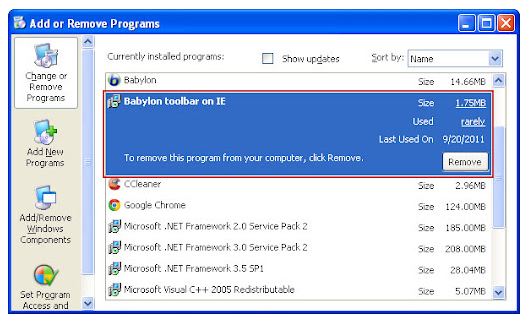
and here they described the process to remove their toolbar from Chrome, Firefox, and Explorer toolbars. 

Babylon Support provides step-by-step instructions that are easy to follow, and I had it removed from our little netbook within ten minutes.

If Babylon or any other toolbar, has appeared as an unwelcome guest on your computer, try these steps to remove it.

Now, it is time for far more important business.
I can see that the sky is getting light and the sun is shining.
Brown County, Indiana is in my future,
along with some serious outside time.
We hope you find some of that time, as well…

Snip, Snip

Blog tips

Sunday Sit, Sip, and “Sync” ~ 9-30-2012

There are lots of ways Shannon and I “capture our screens”,
but the easiest way is…
well, the easiest.

I had forgotten this simple tool until my son, Brian, pointed it out to me.

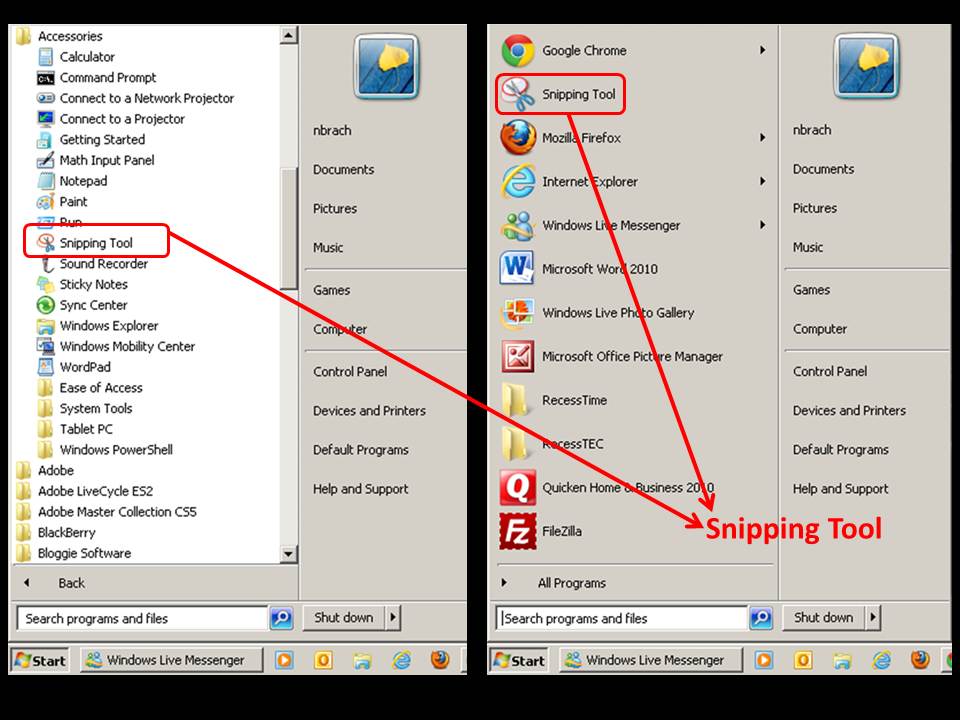
Right inside the accessories folder on your computer,
you will find the “Snipping Tool”.

If you just drag it out to your “Start Menu”,
it will be there whenever you need a quick capture.


Best of all, you can save the “snip” as a jpeg, png, gif, or html file.

The “Snipping Tool” offers other options that include highlighting, pen choices, an eraser, and sending the capture as an attachment.

This has been my “go-to” capture program over everything else because it doesn’t require another program to open, it’s accessible, and it’s quick.

So, click and drag that little tool out so it’s easy to use,
finish your morning drink of choice,
and we hope you have saved some time for yourself to enjoy this beautiful fall day…

Get Organized!

classroom management News tips

Sunday Sit, Sip, and “Sync” ~ 9-16-2012

I know.

It’s a little late.
School has started and organization feels like it has slipped through your fingers.

If you are anything like me,
I knew where everything was,
but it was often  buried under a stack of papers/things on my desk.

Progress reports should be going out soon.
Some of you have “Open House” behind you.

Maybe with a chance to catch your breath,
you might find one or two things in this article that will help you feel a little more “together”.

Dana Truby and Megan Kaesshaefer have contributed a post titled:
100 Classroom Organizing Tips” for Scholastic.com.

Some of them are “techie”, so I invite you to search through all 100.

Good ideas submitted by real teachers with “real good” ideas!

After your morning coffee or tea, make sure to take some time for you and your family.
We hope that includes time outside and some good, fresh air!


Prompting Needed

SMARTBoard tips writing

Sunday Sit, Sip, and “Sync” ~ 9-2-2012

Writing. 

For some of our students, this is difficult at best.

“How long does it have to be?”
“Does this count for a grade?”
“How many words do I have to write?”
“Does this have to be in cursive?”
“Does spelling count?”

In my classroom, journaling often began with a struggle,
but it was the one writing activity where I could see student growth.

By the end of the year, I could hear their voices,
but it was only as I read what they had written,
because while they were writing,
the room was completely silent.

Sometimes Shannon and I would provide assigned prompt suggestions,
and if these did not fit their needs or feed their imagination,
we would include suggestions from which they could choose.

I saw this “Imagination Prompt Generator” tweeted last week,
and after looking at it,
I knew it was something I would use.

The only problem was the advertising and “peripheral” distractions around the outside edge.

With that, I thought of a perfect example of how to use the new “SMARTBoard Internet Browser” element that was added in Notebook 11.

By adding a “frame” to cover the distractions on the webpage,
students can focus on the prompt and the task.

Feel free to download this Notebook file I have attached,
and tweak and change it as you wish.

Start out your first hour of the new week with a ready-made slide to bring on the “quiet”.

Stay dry,
and rest.
We love the 3-day weekend anyway we can get it!

Take the Shortcut

classroom management tips

Sunday Sit, Sip, and “Sync” ~ 8-26-2012

While helping as a “Tech Volunteer” in one of our local school districts,
the teachers sign up for a time slot, and I show up.

Their requests vary from SMARTBoard support to loading CD games onto their computers.

The biggest surprise was how many teachers wanted a desktop shortcut for a site, such as their district web-mail.
Sometimes we just don’t know what our teachers don’t know.

It occurred to me that this should be a tip,
and a way for many to save time and steps.
They have many of their management sites linked from their school website,
but a shortcut icon saves them time that they would have to spend going through links or their “favorites” to get to those sites.

So, below is a video to help you with that process.

We hope your year has begun on a positive note, and that your weekend has given you some time to stop, look, listen, and if you have any time at all, 

the “shortcut” you find today looks like this… 


Roominate

tips

Sunday Sit, Sip, and “Sync” ~ 8-19-2012

Once upon a time there were three girls.

Smart girls.

Very smart girls. 

And they wanted to play with “smart toys”. 

Like the toys our brothers had.

And our best friends’ brothers.

My sister described one scene she saw at this year’s Bay Area Maker Faire as follows:

A big, bright, pink tent with pink and purple helium balloons floating above it.

Inside were lots of girls.

Little girls.

Big girls.

Sitting on a huge carpet designing, building, assembling, and totally focused on…

engineering.

Many times I have heard my sister
(Intel is her “Boss”)
lament over the lack of women in the field of engineering.
She has always said that if smart girls went into engineering,
they would be hired right out of college.

Here is a company founded by three such girls.

Roominate.

Do yourself a favor and check it out!